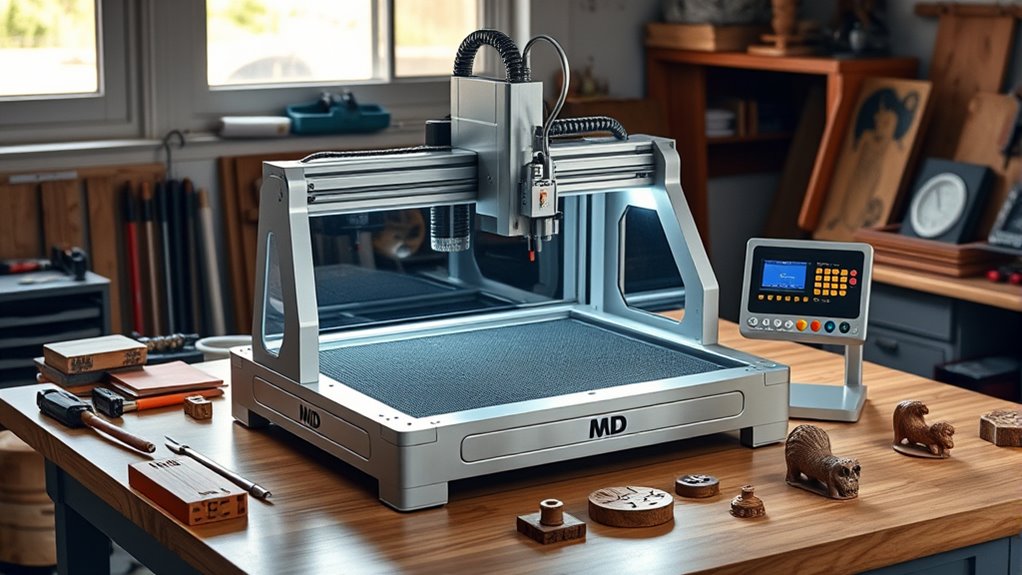

Choosing the right deskcnc router can significantly impact your woodworking or hobby projects, but the options available can be overwhelming. The best overall pick, the 2027 Upgraded Precision Wood Router Slotting Guide Bracket, offers a reliable balance of precision and ease of use. For those on a budget, the Desktop CNC Routing for Makers and Beginners provides beginner-friendly features without sacrificing quality. Meanwhile, the Universal G-code Sender (UGS) User Guide 2026 stands out for advanced control and customization. When selecting a deskcnc router, you’ll need to weigh factors like precision, ease of setup, software compatibility, and cost. Keep reading for a detailed breakdown of these options and what matters most in your decision.

Get your wardrobe favorites delivered free with Prime
- Fast, free delivery on millions of items
- Prime Video, Amazon Music and more included
- Member-only deals all year
Key Takeaways
- The top picks differ mainly in user experience, with beginner-focused models prioritizing simplicity and advanced options emphasizing control and customization.
- Precision and build quality are the primary factors that separate high-end models from entry-level options.
- Software compatibility and ease of setup are often overlooked but are critical for a smooth workflow.
- Tradeoffs between price and features are common; investing more generally offers better precision and durability.
- Most users should consider their skill level and project scope before choosing a model, as not all routers suit all needs.




More Details on Our Top Picks
2027 Upgraded Precision Wood Router Slotting Guide Bracket
This aluminum alloy guide excels at delivering consistent, straight grooves, making it ideal for professional woodworkers who need reliable repeatability. Compared to general guides, its durable, corrosion-resistant anodized surface ensures longevity even with frequent use. Installation is straightforward, and it adapts well to various router bases, but it may take some initial setup time to achieve perfect alignment. Its limited compatibility with certain router models could be a drawback for those with unique or older equipment.
While not as versatile as a full router table, this bracket provides targeted precision that benefits those focused on slotting tasks. It’s best suited for experienced users who value straight, clean cuts over multi-purpose functionality.
Pros:- Provides precise and repeatable routing results
- Durable, corrosion-resistant construction
- Easy to install and compatible with various router bases
Cons:- May require some setup time for optimal alignment
- Limited to compatible router models
Best for: Professional woodworkers and hobbyists who prioritize precise, repeatable grooves in their projects.
Not ideal for: Beginners or DIYers with limited experience in setup, or those using incompatible router models.
- Material:Anodized aluminum alloy
- Dimensions:10 x 4 x 2 inches
- Item Weight:1.63 pounds
- Package Includes:Wood router slotting guide bracket
Our verdict“This guide is ideal for experienced users seeking high accuracy in slotting operations, though setup complexity can be a hurdle.”
CNC Woodworking User Guide: How to Set Up, Operate, and Use Any CNC Router for Step-by-Step Skill-Building Workshop Projects
This guide stands out for its accessible, step-by-step instructions that help newcomers confidently set up and operate CNC routers. Unlike more technical manuals like ‘CNC Router Essentials,’ it focuses on workshop projects that build practical skills gradually. While it lacks specific technical specs, it compensates with clear guidance suitable for hobbyists and DIYers eager to learn without feeling overwhelmed. Its primary limitation is that it may not cover advanced CNC operations or detailed troubleshooting for complex setups.
This resource makes the most sense for those just starting out, especially if they prefer learning through hands-on projects rather than technical jargon.
Pros:- Detailed step-by-step instructions
- Suitable for beginners and experienced users
- Focuses on practical workshop projects
Cons:- No specific technical specifications provided
- Content may be limited to woodworking applications
Best for: Beginners or hobbyists seeking practical, project-based instructions to develop CNC skills.
Not ideal for: Advanced users or professionals looking for technical specifications and in-depth machine troubleshooting.
Our verdict“This guide offers accessible, beginner-friendly advice ideal for those starting with CNC woodworking projects.”
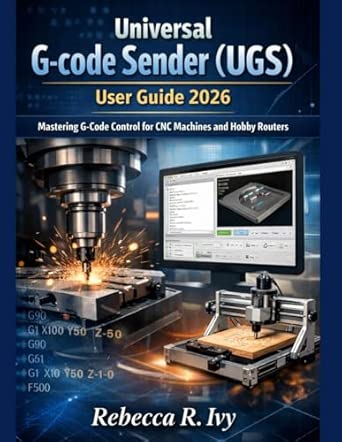
Universal G-code Sender (UGS) User Guide 2026: Mastering G-Code Control for CNC Machines and Hobby Routers
This guide provides comprehensive instructions for mastering G-code control via UGS, making it essential for hobbyists and professionals who want to fine-tune their CNC workflows. Unlike beginner-focused resources like the ‘CNC Woodworking User Guide,’ it dives into the complexities of G-code, setup, and troubleshooting, which can be daunting for newcomers. Its lack of technical specs and absence of reviews suggest it’s best suited for users already familiar with CNC basics, looking to deepen their control and efficiency.
If you’re aiming to optimize CNC operation and control, this guide offers detailed insights but may be overwhelming for beginners without prior CNC experience.
Pros:- Detailed instructions for CNC control
- Suitable for hobbyists and professionals
- Helps improve CNC machine operation
Cons:- No technical specifications provided
- No reviews or ratings available
- Content may be too advanced for beginners
Best for: Experienced hobbyists or professionals seeking to improve G-code mastery and workflow efficiency.
Not ideal for: Complete beginners or users who prefer simplified, non-technical instructions.
Our verdict“This guide is perfect for those with some CNC experience aiming to refine their G-code techniques, though it may be too technical for novices.”
Routers & Router Tables: Woodworking Guide to Choosing, Tuning, and Safely Using Routers and Tables
This comprehensive woodworking guide is ideal for those who want to improve safety and technique when using routers and router tables. While it doesn’t focus on specific products like a router guide or a manual, it covers crucial aspects of selecting, tuning, and operating routers safely. Compared to specialized technical manuals, this book emphasizes best practices and safety, making it especially useful for beginners or those needing a refresher. The lack of product specifications or ratings limits its use for choosing specific models, but its broad coverage adds value for overall skill improvement.
It’s best suited for hobbyists and less experienced woodworkers aiming to build confidence and safety in their router work.
Pros:- Provides detailed guidance on router and table use
- Enhances woodworking safety and technique
- Suitable for both beginners and experienced woodworkers
Cons:- No specific product features or specifications listed
- No price or rating information available
Best for: Beginners and intermediate woodworkers focused on safety and proper technique.
Not ideal for: Advanced professionals needing detailed technical specs or specific product reviews.
Our verdict“This guide is a valuable resource for safe and effective router operation, especially for those new to woodworking or seeking to improve their skills.”
CNC Router Essentials: The Basics for Mastering the Most Innovative Tool in Your Workshop
This book offers a solid foundation for understanding CNC routers, similar to the beginner focus of the ‘CNC Woodworking User Guide.’ While it lacks detailed technical specs or user reviews, its practical tips and clear explanations make it a good starting point for workshop newcomers. It covers essential techniques without overwhelming readers, serving as a stepping stone towards more advanced control guides like the UGS manual. Its main limitation is the absence of specific product details or updates on recent CNC innovations, which could limit its relevance over time.
Ideal for hobbyists or workshop enthusiasts eager to grasp the basics before moving on to more technical control or setup manuals.
Pros:- Comprehensive beginner guide
- Practical tips for mastering CNC routers
- Suitable for workshop enthusiasts
Cons:- No detailed specifications provided
- No customer reviews or ratings available
Best for: Beginners and hobbyists interested in mastering CNC basics for workshop projects.
Not ideal for: Experienced users seeking detailed technical specifications or advanced CNC control strategies.
Our verdict“This book provides a clear, practical introduction to CNC routers for beginners eager to learn foundational skills.”
Desktop CNC Routing for Makers and Beginners: A Beginner’s Guide to Shapeoko, X-Carve & Home Shop Machines
This guide stands out for its focus on helping newcomers get started with desktop CNC machines like Shapeoko and X-Carve. Compared with more technical resources like the CNC Router Essentials, this book simplifies setup and operation, making it ideal for those new to CNC routing. While it offers valuable project ideas and business tips, it doesn’t provide technical specifications or detailed machine parameters, which might leave advanced users wanting more precision. It’s especially useful for hobbyists who need a clear, step-by-step introduction without the overwhelm of technical jargon. However, those seeking detailed machine specs or advanced troubleshooting will find this guide lacking. Overall, this book makes sense for beginners eager to learn the basics and explore side hustle opportunities.
Pros:- Simplifies CNC setup and operation for newcomers
- Includes project ideas and tips for starting a side hustle
- Provides guidance on popular CNC machines like Shapeoko and X-Carve
Cons:- Lacks detailed technical specifications and machine parameters
- No pricing information or customer ratings included
- Limited to introductory content, not suitable for advanced users
Best for: Beginners, hobbyists, and DIY enthusiasts interested in learning CNC routing fundamentals and business potential
Not ideal for: Experienced CNC operators or professionals looking for technical specifications and in-depth machine data
- Target Audience:Beginners and hobbyists
- Coverage:Setup, projects, business tips
- Machines Discussed:Shapeoko, X-Carve
- Content Type:Guidebook
- Format:Printed book
- Price:Not specified
- Customer Ratings:Not available
Our verdict“This guide is a solid starting point for beginners eager to learn CNC basics and explore small-scale projects or business ideas.”

How We Picked
This roundup was curated based on a combination of performance, usability, build quality, and value. We evaluated each product’s specifications, focusing on how well they serve different skill levels and project types. Ease of setup, software support, and durability played key roles in the ranking process. Products were compared for their versatility, user-friendliness, and long-term reliability, ensuring that each pick offers a clear advantage for specific user needs or budgets. Our aim was to highlight options that stand out for their unique strengths, helping buyers make informed decisions based on their workshop goals.Factors to Consider When Choosing Deskcnc Routers Buying Guide
Choosing a deskcnc router involves balancing several factors beyond just price. To get the best fit, you should consider the machine’s precision, ease of use, software compatibility, and build quality. Understanding these factors helps prevent common pitfalls, like underestimating setup complexity or overpaying for features you won’t use. Additionally, consider your project scope—whether you need a compact machine for small projects or a more robust model for larger, detailed work. Recognizing the tradeoffs between cost and capability will ensure you select a router that grows with your skills and needs.Precision and Build Quality
High precision is essential for detailed woodworking, so look for machines with tight tolerances and sturdy frames. Cheaper models may save money upfront but often compromise on stability, leading to inaccuracies. Durable materials like aluminum or steel contribute to long-term reliability, especially if you plan to use the router frequently. Consider whether the machine’s components are adjustable and how well it maintains accuracy over time, as this impacts your finished project quality.
Ease of Setup and Use
Ease of setup can make or break your experience, especially for beginners. Some models come pre-assembled or with straightforward instructions, reducing frustration. Software usability also varies: user-friendly interfaces save time and reduce errors, while complex control systems may require advanced skills. Think about whether the machine offers guided setup procedures or community support, which can be invaluable during initial use. A more intuitive setup process helps you start creating faster and with less risk of damaging your equipment.
Software Compatibility and Control
Compatibility with popular control software like UGS or Mach3 can expand your project possibilities. Some routers come with proprietary software that may limit flexibility, while others support open-source options that are more adaptable. Advanced users should prioritize machines that allow G-code control and customization, but beginners might prefer plug-and-play solutions. Ensuring your chosen router can integrate smoothly with your existing workflow reduces setup time and technical frustration.
Size, Portability, and Workspace Needs
The size of your workspace limits your options; compact models are ideal for small workshops, while larger machines accommodate bigger projects. Portability may be a consideration if you need to move your router frequently—look for lightweight models with handles or wheels. Conversely, larger, more stable machines often offer greater precision but require more dedicated space. Match the router’s dimensions to your workshop layout and project scale to avoid buying an unwieldy or underpowered machine.
Cost and Long-Term Value
While budget models are tempting, they may lack the durability or precision needed for serious work. Investing in a higher-quality machine often results in better long-term performance, fewer repairs, and more consistent results. However, overspending on features you won’t use can be wasteful. Consider your current skill level, project requirements, and future growth—sometimes spending a bit more initially pays off with a machine that lasts years and supports complex projects.
Frequently Asked Questions
Can I upgrade my desktop CNC router later if I want more features?
Many desktop CNC routers can be upgraded with new software, controllers, or accessories, but hardware upgrades are more limited and depend on the machine’s design. For example, you might add a better spindle, improve the frame stability, or replace the control board, but there are physical constraints based on the existing build. When choosing a machine, consider its upgradeability if you anticipate expanding your capabilities in the future. Starting with a slightly more capable model can save you from needing a full replacement later on.
What’s the most common mistake beginners make when choosing a deskcnc router?
A frequent mistake is prioritizing features over usability, leading to frustration and underuse. Beginners often select machines that are either too complex or lack user-friendly controls, which hampers learning and project success. Overestimating the machine’s capabilities and ignoring the required learning curve can also cause issues. It’s better to start with a machine that aligns with your current skill level and offers good support and documentation, then gradually move up as you gain experience.
How important is software support when choosing a deskcnc router?
Software support is vital because it directly affects your workflow and ease of operation. Compatibility with popular, well-supported software can reduce setup headaches and provide access to a broader range of features and community resources. Poor software support can lead to compatibility issues, bugs, and difficulty troubleshooting. For beginners, straightforward, reliable software is essential, while advanced users should look for systems that allow customization and detailed control.
Should I prioritize a compact or larger machine for my workshop?
This decision hinges on your available space and project size. Compact routers fit easily into small workshops and are easier to transport but may sacrifice some stability and precision. Larger machines provide increased stability and can handle bigger, more complex projects, but they require more dedicated space and setup effort. If your projects are small and space is limited, a compact model makes sense; for larger, more detailed work, a bigger machine offers better performance at the cost of additional space and investment.
Is it worth paying more for a CNC router with advanced features?
Paying more often results in better precision, durability, and software flexibility, which can improve your project quality and reduce maintenance costs over time. Advanced features like higher spindle power, better frame materials, and more sophisticated control systems are beneficial if you plan to use the machine extensively or for intricate work. However, if you’re a beginner or only doing occasional projects, a mid-range model may offer the best balance of cost and capabilities without overwhelming you with complexity.